For homeowners
Your equipment on the record
Updated Jun 30, 20262 min read
Every pump, filter and heater on your property is tracked with its model, install date and full service history — nothing lives in a text thread.
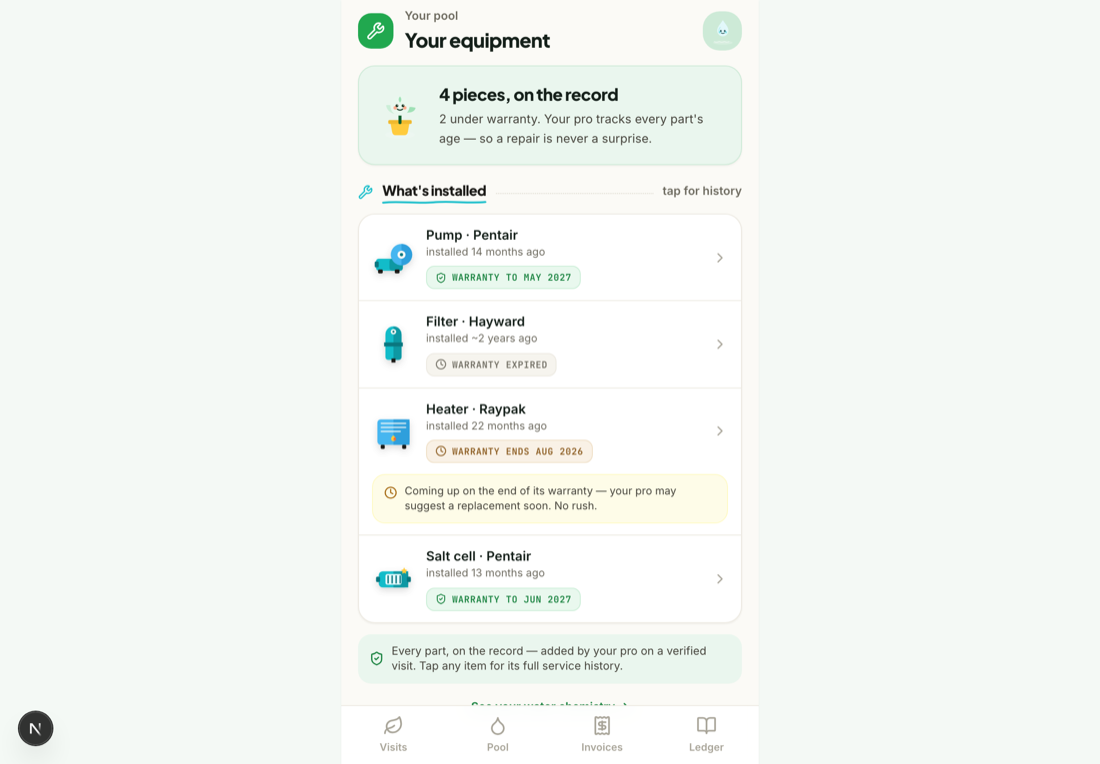
Mowdew keeps the equipment on your property on the record — what's installed, when, and everything that's been done to it. Here's what you see, step by step.
Open Equipment
From your menu, open Equipment to see the list of what's installed on your property.
Open a piece of equipment
Tap any item to see its model, install date, warranty status and the full history of what's been serviced or replaced.
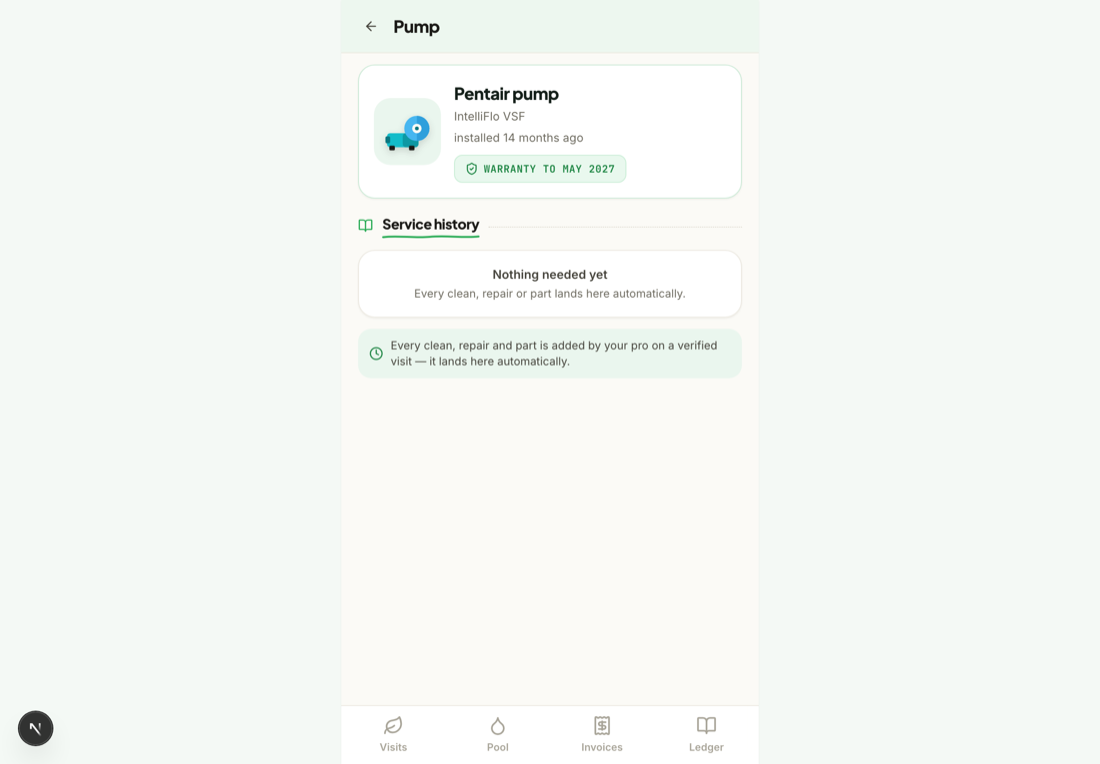
Why it mattersWhen something needs a repair, the model, history and warranty are already on the record — no guessing about what's installed or whether it's covered.
Was this helpful?Your answer helps us fix the docs that aren't working.