For homeowners
What a verified visit means
Every visit says how it got on the record — verified on-site, logged automatically, logged by hand, or couldn't service. It's the same record your invoice is built from.
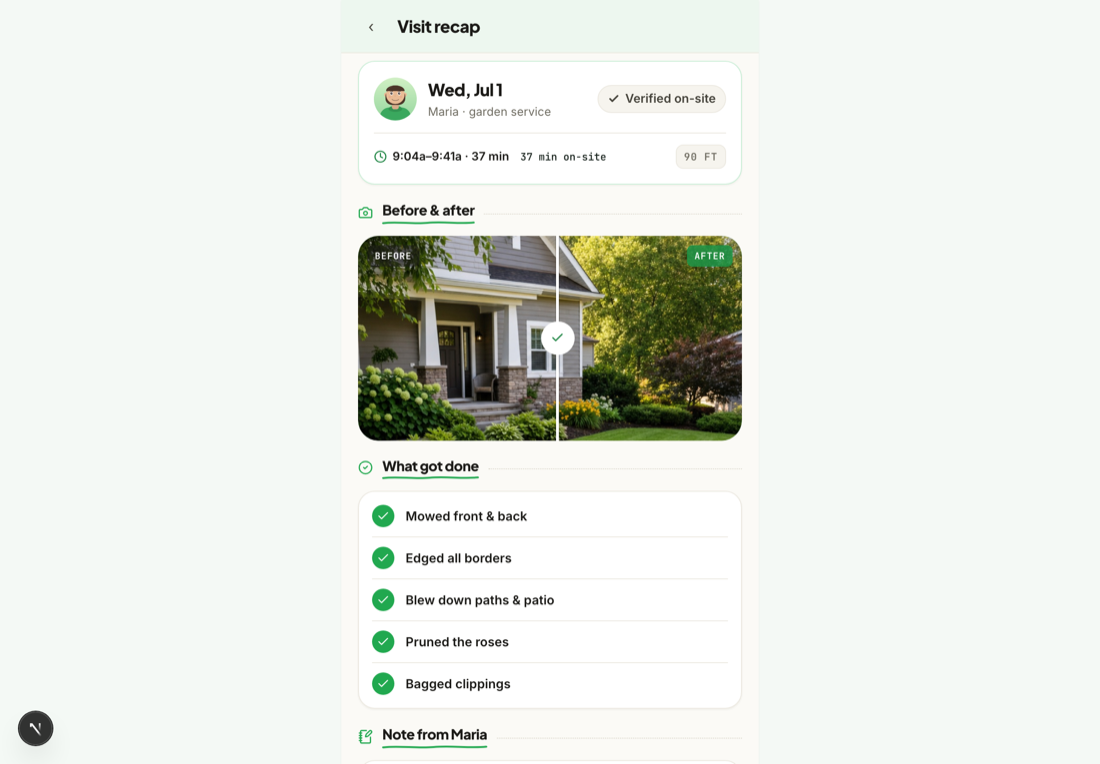
A verified visit is the heart of your account: proof that the work you pay for actually happened. Every time your pro checks in, does the work, and checks out, Mowdew records the visit with its times, where the phone was at check-in, and any photos and notes the pro took. Your feed is the running record of all of it.
What the label on a visit means
Each visit carries one label, so you can always tell how it got on the record:
- Verified on-site — the map pin with a check. Your pro's phone was at this address when they checked in, and our server confirmed it.
- Logged automatically — the app noticed your pro arriving and checked them in. If the location couldn't be confirmed, the line under it says why.
- Logged by hand — your pro tapped Check in themselves. This is a normal way to record work: bad signal, a dead battery or a basement should never stop a visit from counting.
- Couldn't service — your pro came but couldn't do the work (a locked gate, a loose dog), and their reason is shown. These trips are never billed.
When a visit isn't verified on-site, a short line says why: "Location wasn't available" (no GPS fix reached us) or "GPS placed the check-in away from this address" (we had a fix, and it wasn't at your home). On a trip that couldn't be serviced, "Arrival confirmed at this address" means the phone was at your home — your pro did turn up.
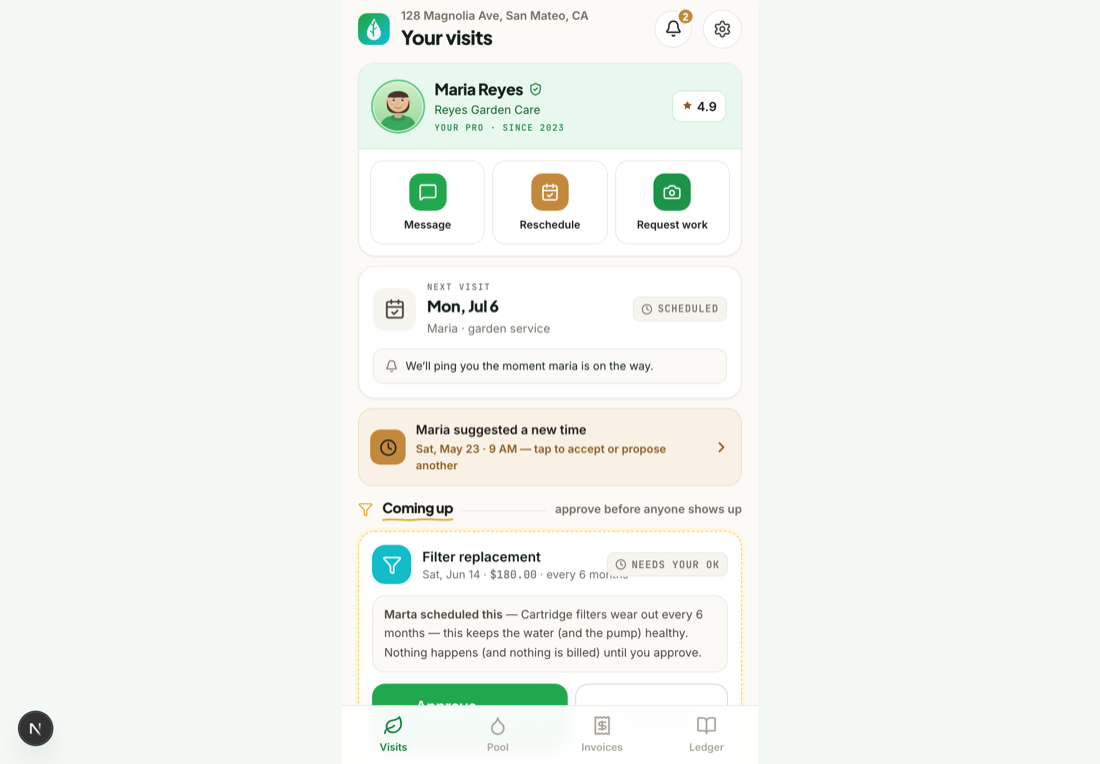
Open your visit feed
Your home screen is the feed — the newest visit sits at the top, with the date, the pro who came, and a thumbnail of the work.
Open a visit to see the proof
Tap any visit to see the full record: the check-in and check-out times, the photos taken on site, any chemistry readings, and notes the pro left for you.