For business owners
Configure chemistry readings
Updated Jul 2, 20262 min read
Choose which readings your pros log per vertical (pool pH/chlorine, and more), so the homeowner sees a consistent record.
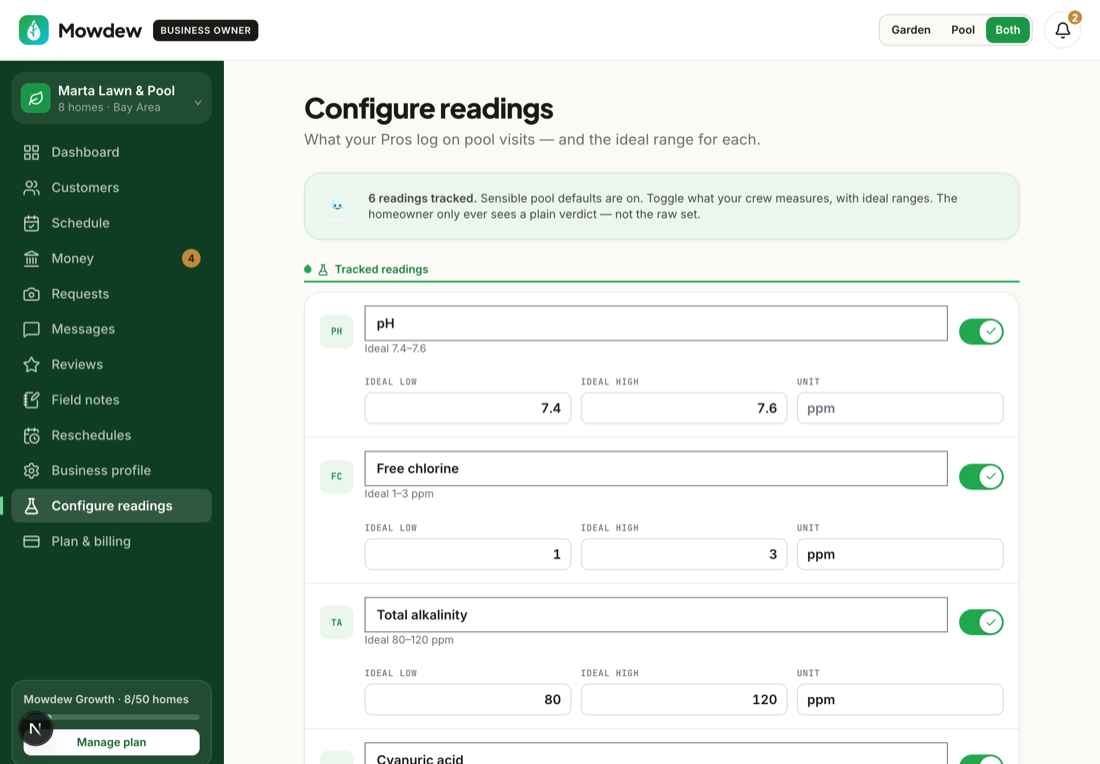
If you service pools, set your target chemistry ranges once and every reading your pros log is measured against them — so out-of-range water is obvious to you and to the homeowner.
Open chemistry settings
In Settings, open Chemistry to see the target ranges.
Set your target ranges
Set the healthy range for each reading. Your pros log against these on every visit, and homeowners see the trend charted over time.
Feeds the homeowner trendsThe ranges you set here power the chemistry trends your homeowners see — one setup, two audiences.
Was this helpful?Your answer helps us fix the docs that aren't working.