For business owners
Set up your recurring schedule
Cadence on each property generates the recurring visit calendar automatically — weekly, biweekly or monthly.
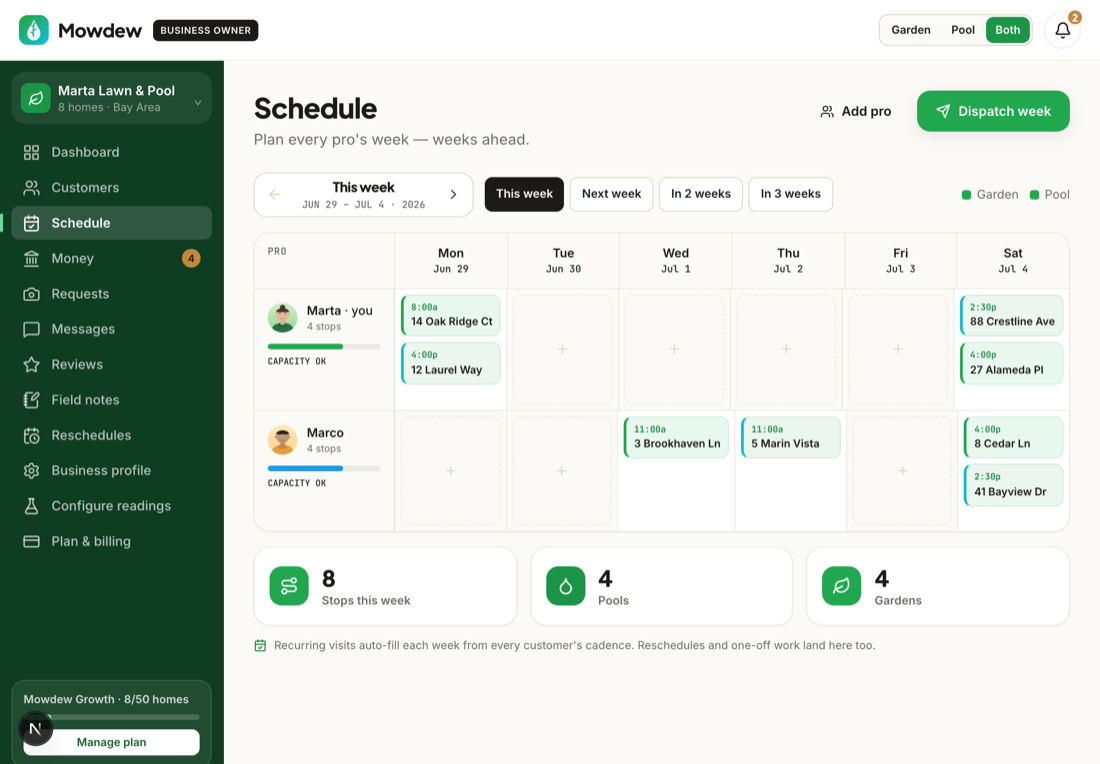
A recurring schedule is the backbone of the whole platform. You set one thing on each property — how often you service it — and Mowdew does the rest: it lays out every upcoming visit on the calendar, fills each pro's day in the right order, and gives the homeowner the same visit schedule you see. You never re-enter next month's visits by hand, and because the calendar is generated from the cadence you set, the schedule and the invoice never drift apart.
Cadence lives on the property, not on your business as a whole — so one home can be weekly while another is monthly. This walkthrough sets a cadence on a single property, shows you the calendar it generates, and covers how to change one visit without disturbing the pattern.
Open the property
Go to Customers and open the home you want to schedule. If you haven't added it yet, add the property first — see “Add a customer & property” — because cadence is a field on the property record.
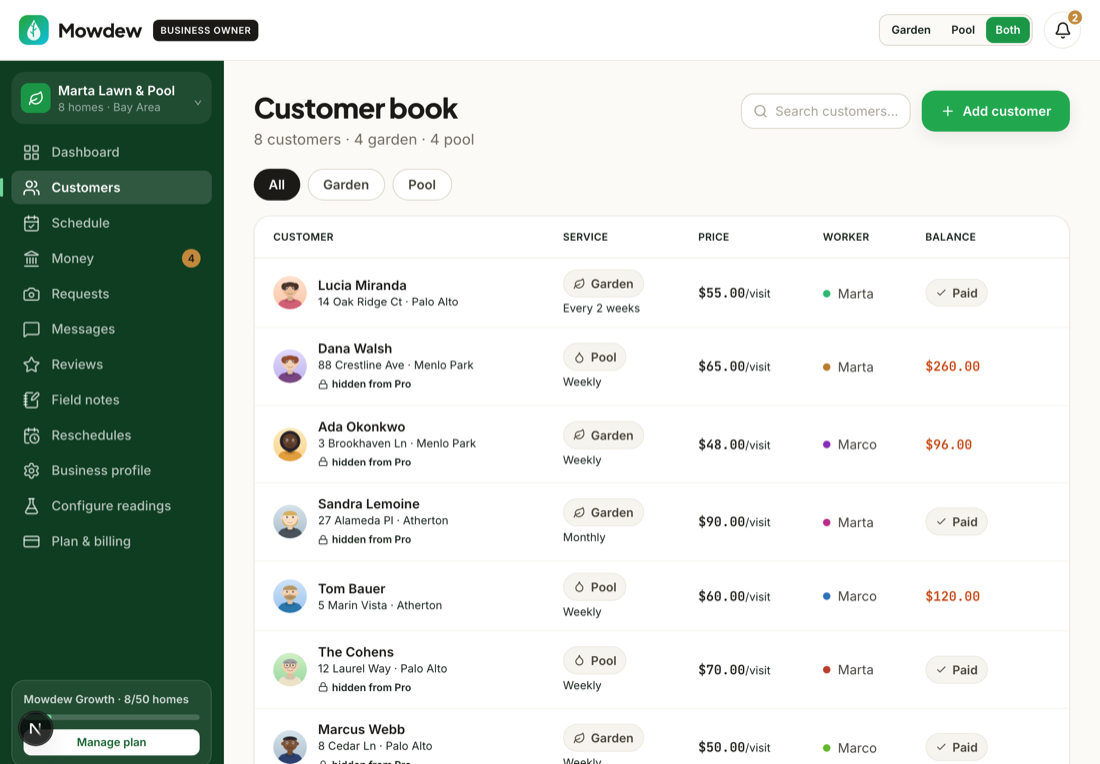
The customer page is the single place that holds everything about that home: its visits, photos, the pro assigned to it, the monthly price, and the cadence you're about to set.
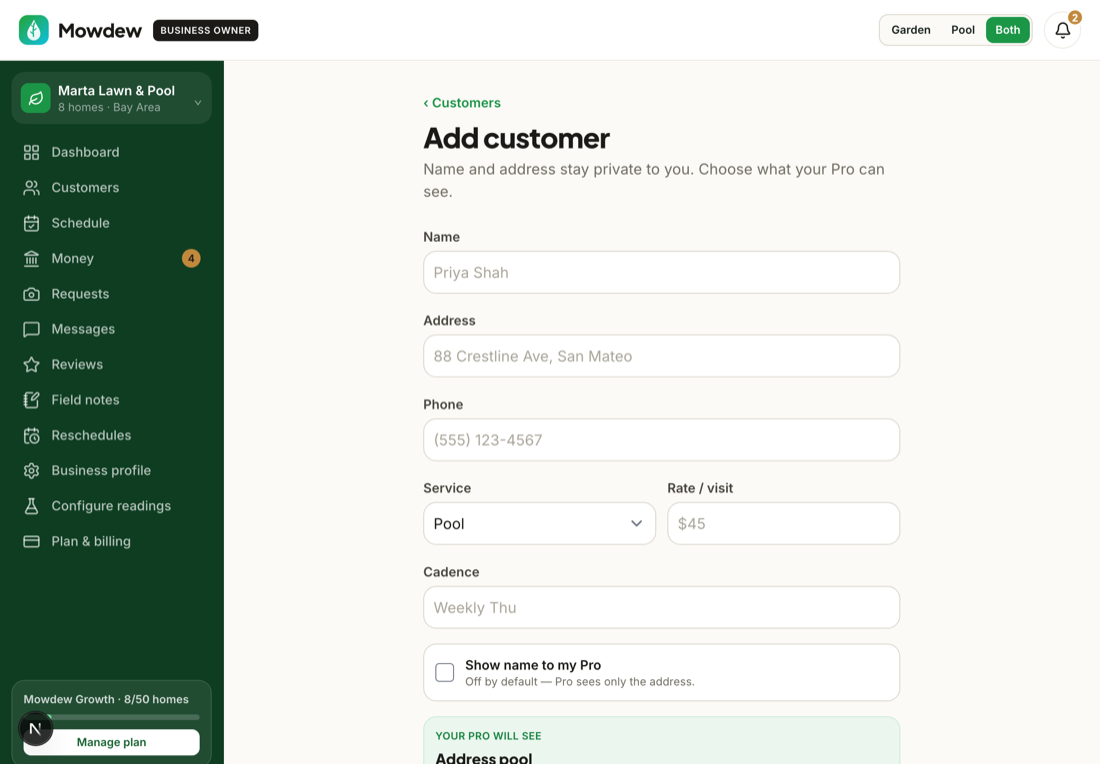
Choose the cadence
Pick how often this property is serviced: weekly, every two weeks (biweekly), or monthly. Weekly suits a pool in peak season; biweekly is the common default; monthly fits a low-maintenance yard or an off-season pool. This single choice is what generates the recurring visits — you're describing the rhythm once, not typing dates.
Set the monthly price
Set the recurring price for the service on this property. This is the amount the homeowner expects to pay each month for the standard visits — separate from any one-off extra work, which is always quoted and approved on its own. The price rides with the property, so if you re-assign the home to a different pro the pricing doesn't change.
Review the generated calendar
Open the Schedule. Mowdew has already laid out the upcoming visits for this property at the cadence you chose, alongside every other home you service. This is your at-a-glance view of the week and month: who is being visited, when, and by which pro.
Adjust a single visit without breaking the pattern
Weather, a holiday, or a homeowner's request will sometimes move one visit. Open the visit on the schedule and change its date, or approve a homeowner's reschedule request from your inbox. Moving one occurrence shifts only that visit — the recurring cadence stays intact and the next visit lands on the normal rhythm.
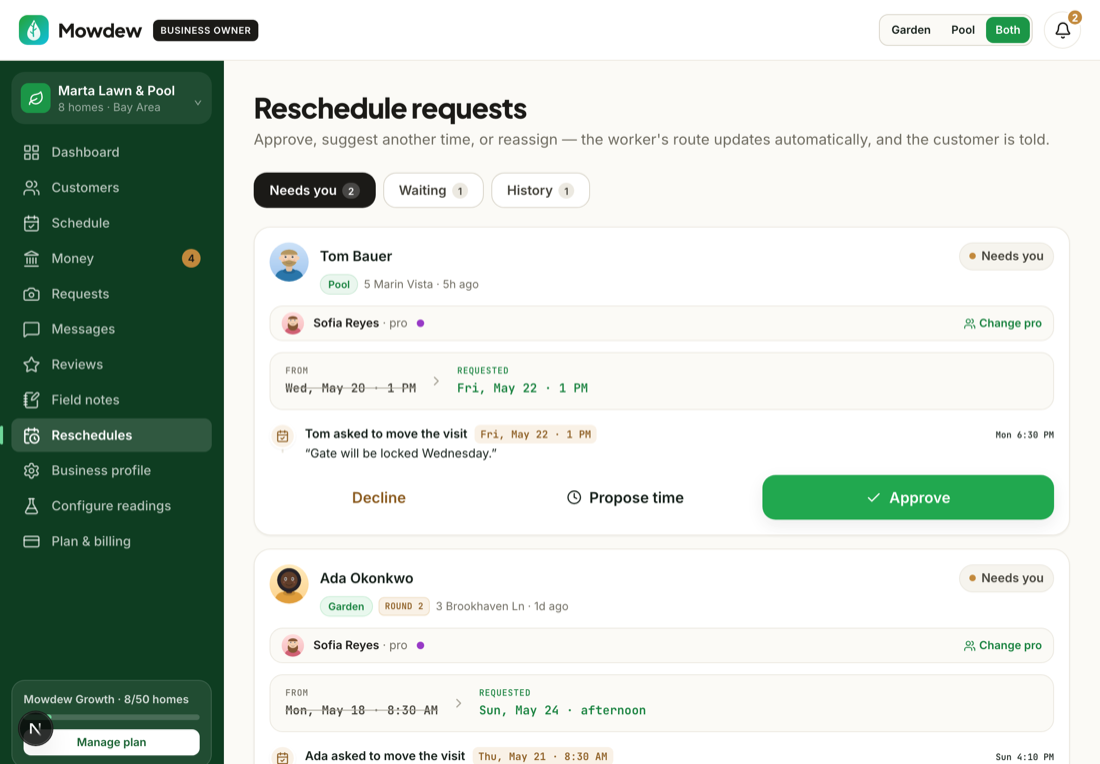
One visit, not the series
Editing a single visit never rewrites the pattern. If you actually want to change how often a home is serviced going forward, change its cadence back on the customer page (step 2) instead.Assign a pro so the visits land in someone's day
A scheduled visit needs a pro to work it. Assign the property (or an individual visit) to a pro and it flows into their day in optimized order; a solo operator is assigned to themselves automatically. See “Assign properties to pros” and “Route optimization & multi-pro dispatch” for the details.
That's the whole loop: set the cadence once, Mowdew generates the calendar, you nudge the odd visit when life happens, and each pro's day fills itself. The verified visits your crew logs are what the monthly invoice is built from — so an accurate schedule is also an accurate bill.