For business owners
Approve, propose or decline reschedules
Updated Jul 2, 20262 min read
Handle reschedule requests in one place. Approving updates the pro's route automatically — no morning phone calls.
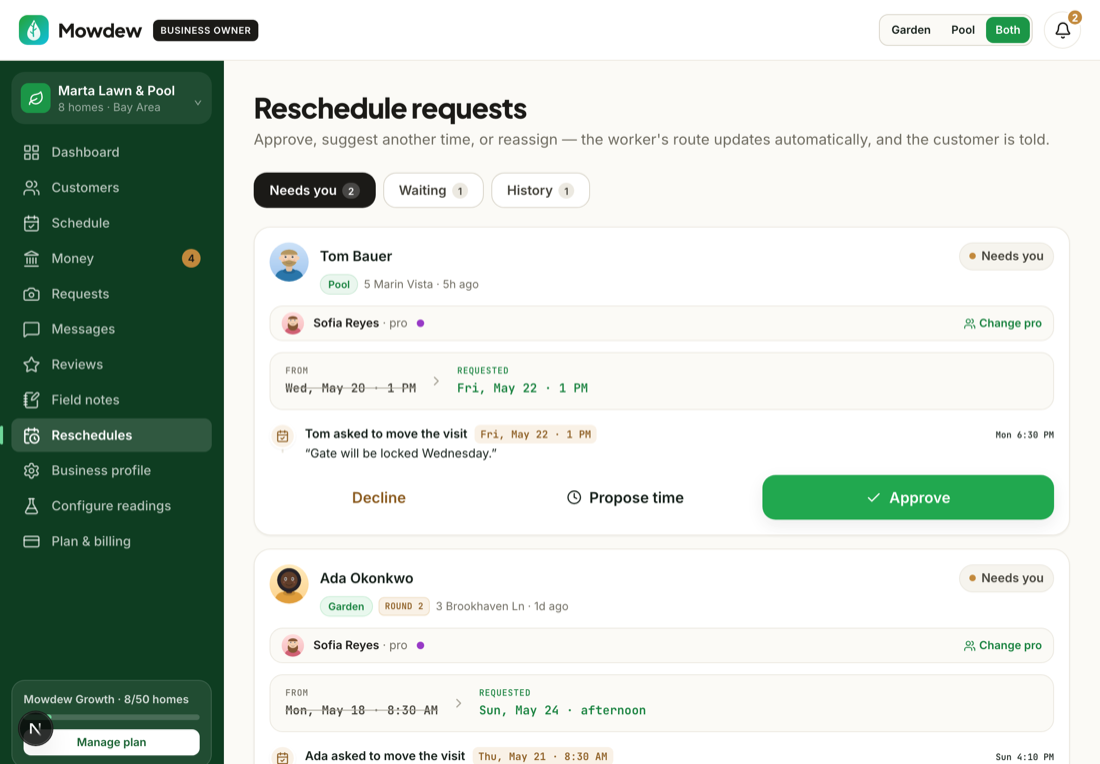
When a homeowner asks to move a visit, the request comes to you to approve. Approving it shifts that one visit without disturbing the recurring pattern.
Open the reschedule request
Reschedule asks appear in your inbox with the current date and the one the homeowner proposed.
Approve the new date
Confirm the new date and the visit moves. The cadence stays intact, so the next visit lands on the normal rhythm.
One visit, not the series
Approving a reschedule moves a single occurrence. To change how often a home is serviced, change its cadence on the customer page instead.Was this helpful?Your answer helps us fix the docs that aren't working.