For pros
Check in and out of a visit
Updated Jun 30, 20262 min read
Mowdew checks you in automatically at the property. No signal or bad GPS? Check in manually with one tap — still timestamped and location-stamped.
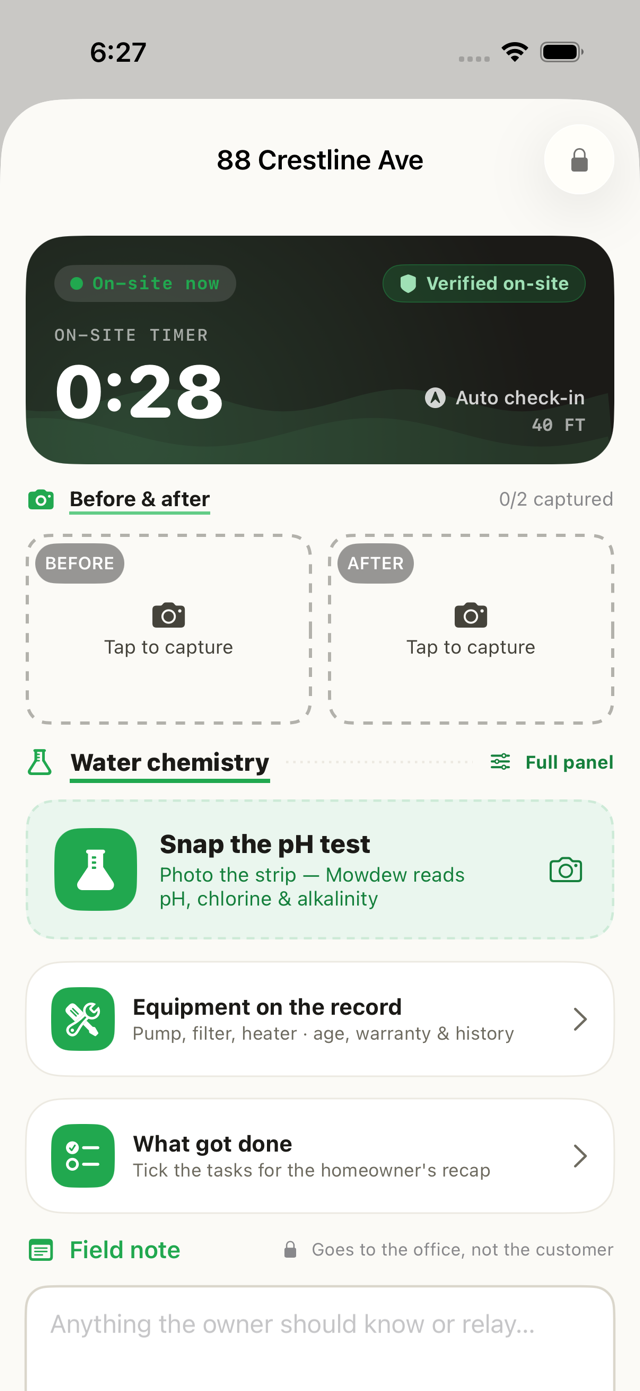
A visit is a check-in, the work, and a check-out — all on the record. Here's the flow.
Start from your day
Open Today and tap the stop you're at.
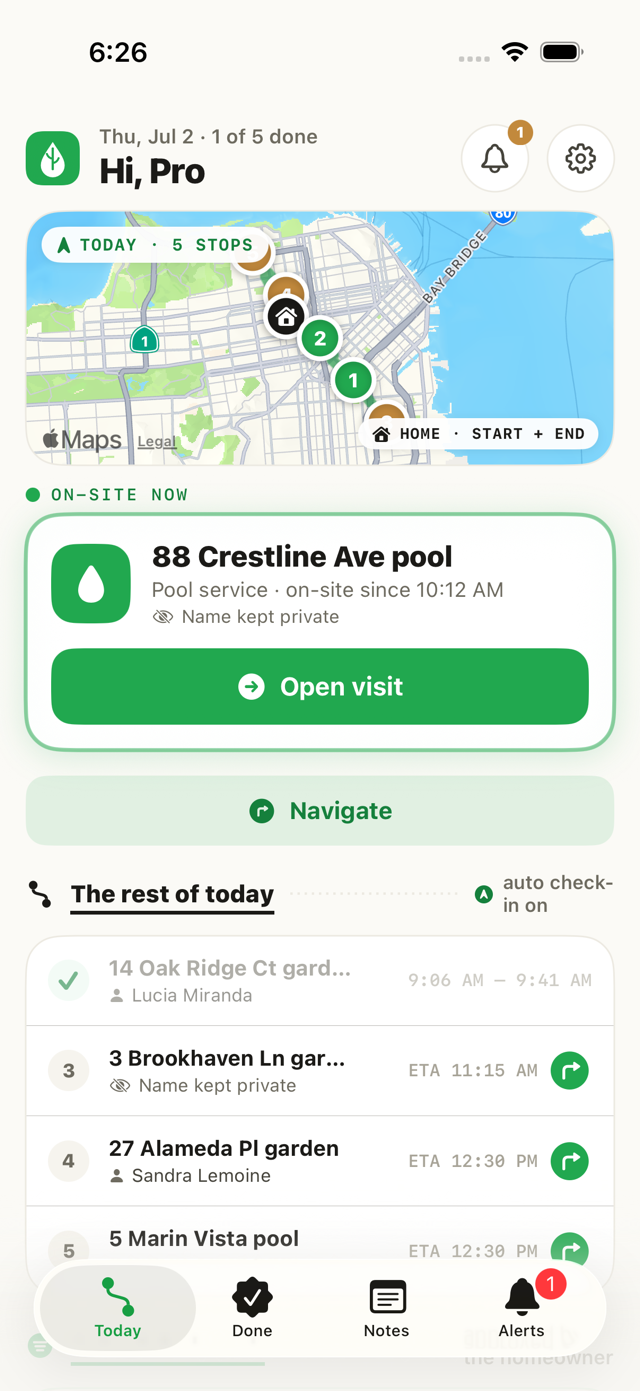
Check in (auto or manual)
Inside the property's geofence, Mowdew checks you in automatically. Tapping Start visit works too — you're never blocked.
No signal or dead battery?
Check in manually. Bad GPS, no signal or a flat battery can never block recorded work — the manual check-in is always there and still timestamped and location-stamped.Do the work, then check out
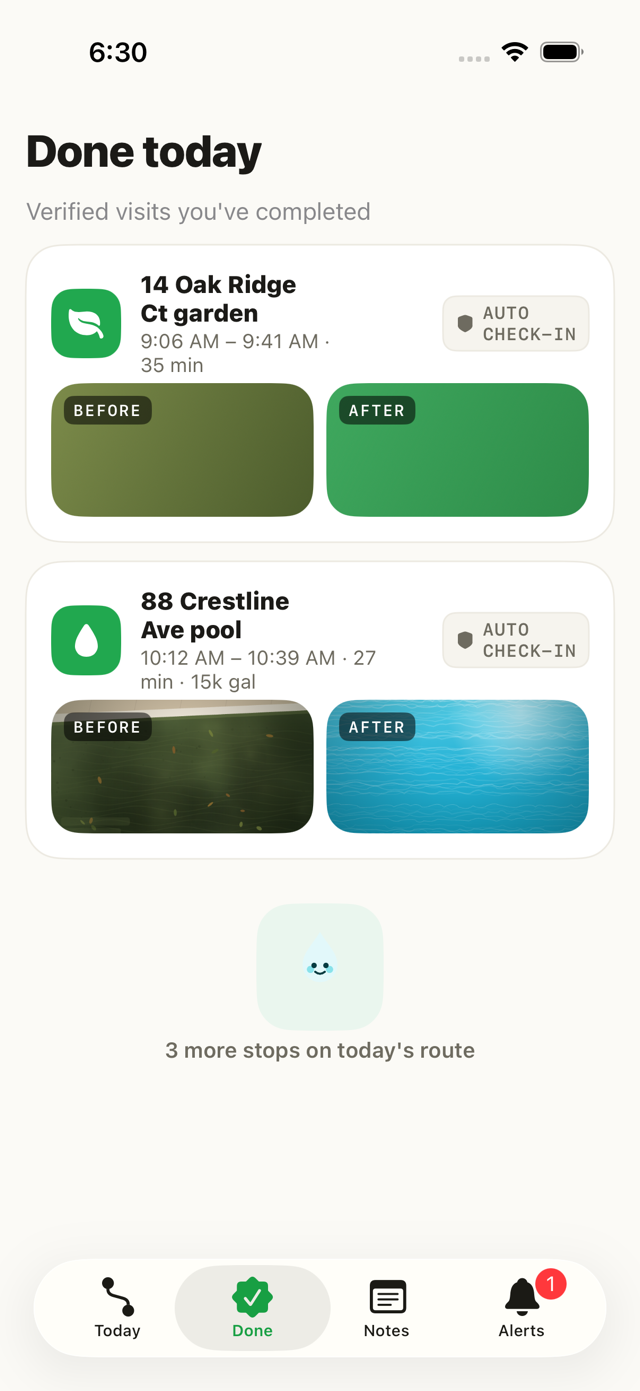
Add before/after photos and any readings, then check out. The completed visit lands in Done and on the homeowner's feed.
Was this helpful?Your answer helps us fix the docs that aren't working.